
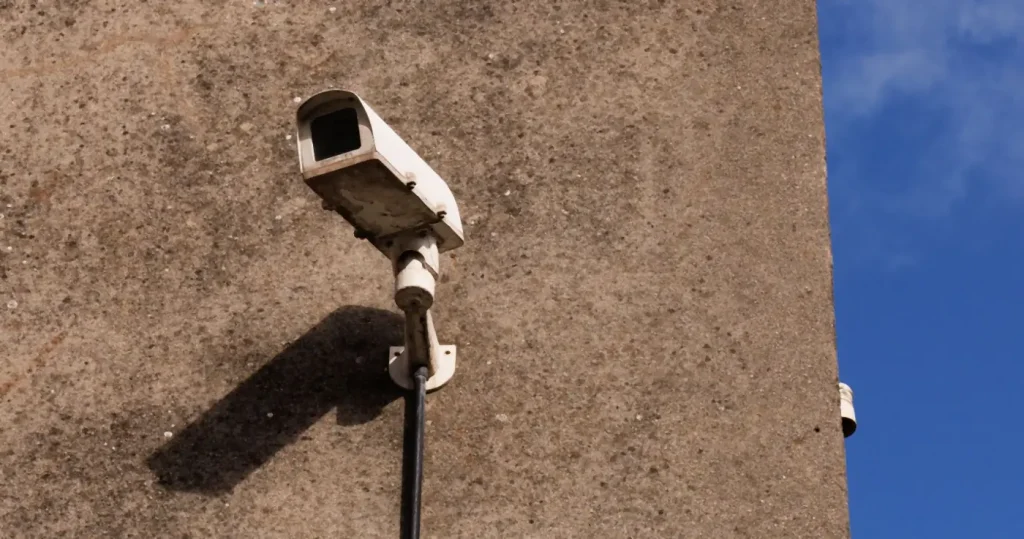
For a camera that must record all day, every day, wired PoE wins; for a renter, a single doorway or a spot no cable can reach, a wireless camera is the practical choice. That is the honest answer to wired vs wireless CCTV, and the reason many Singapore homes end up with a mix. The mistake in most comparisons is treating “wireless” as one thing. It is two: a Wi-Fi camera plugged into a socket, and a Wi-Fi camera on a battery. They fail differently, and one of them behaves badly on a sun-baked HDB corridor. This guide compares all three, shows where the wire goes in an HDB flat, a condo and a landed house, and quotes HDB’s corridor camera rule word for word.
Wired vs wireless CCTV: three types, not two
Wired PoE cameras
A PoE (Power over Ethernet) camera has one cable: a Cat5e or Cat6 run that carries power and video back to a PoE switch or network video recorder (NVR). No socket is needed at the camera, the feed does not depend on Wi-Fi, and the recorder stores footage locally around the clock. The cost is the cable run, easy at renovation and fiddlier afterwards. This is the type for any camera with a job to do when nobody is watching: the main door, the gate, the back of a landed house.
Wi-Fi cameras on mains power
A plug-in Wi-Fi camera needs a socket within reach and decent signal where it sits. It records to a microSD card, a hub or NVR on the same network, or a cloud plan. Always powered, it can record continuously or on motion, but its link to the recorder is the Wi-Fi, so it is only as reliable as your router and the airspace around it.
Wi-Fi cameras on battery
A battery camera is the ten-minute install: charge, pair, stick it on the wall. To make the battery last it sleeps between events and wakes on motion, so it records clips, not a continuous feed, with a short wake-up delay before the first frame. Right for a renter, a temporary need or a wall where neither cable nor socket can go; wrong for the one camera you would rely on after a break-in.
Wired vs wireless CCTV at a glance
| Question | Wired PoE | Wi-Fi, mains powered | Wi-Fi, battery |
|---|---|---|---|
| Power | Over the network cable from the switch or NVR | Adapter into a nearby socket | Rechargeable battery (some accept a small solar panel) |
| Video path | Cable to NVR; no Wi-Fi involved | Wi-Fi to router, then to recorder or cloud | Wi-Fi to router, then to hub or cloud |
| Recording | Continuous 24/7 plus events | Continuous or motion, depending on model and storage | Motion clips only; sleeps between events |
| Keeps recording if the router reboots | Yes, the NVR does not need the router | Usually no, unless recording to its own SD card | No |
| Keeps recording if the internet drops | Yes | Yes with local storage; no on a cloud-only plan | Only to local storage, if it has any |
| Monthly fee | None; local NVR | None with SD or hub; optional cloud | Often a cloud plan for more than a day or two of clips |
| Install | Cable run: easy at reno, trunking afterwards | Minutes, socket nearby | Minutes; recharge periodically |
| Best for | Main door, gate, perimeter, anything that must not miss | Living room, helper’s room, pet and baby cameras | Renters, temporary cover, no-cable walls |
Reliability: what still records when something fails
Ask one question of any camera before you buy it: what does it do at 3 am when the thing it depends on stops working? Four failures are common in Singapore homes, and they are where wired vs wireless CCTV stops being a matter of taste.
- The router reboots (firmware update, power blip, someone unplugging it). A PoE camera wired to an NVR keeps recording because the NVR, not the router, is its recorder. A Wi-Fi camera loses its link until the router is back; with an SD card it keeps the footage, on a hub or cloud it has a gap.
- The fibre goes down. Local recording is unaffected on any type; cloud-only plans stop; remote viewing stops for everyone.
- Wi-Fi congestion. In a block of flats, dozens of routers share the same channels through concrete. A camera at the far end of the flat, or outside the door, can drop frames at peak hours while the phone in your hand seems fine. A cable has no neighbours.
- Heat. A battery camera in an afternoon-sun corridor or on a west-facing wall charges and discharges in afternoon heat. Expect shorter runtime and more recharging than the box suggests.
This is why our CCTV installation Singapore service page recommends wired PoE for a permanent home system and keeps wireless for the spots a cable cannot serve. It is not purism; it is what still has the clip when you need it.
Where the wire goes in a Singapore home
The objection to wired CCTV is always the cable, so here is what it looks like in each housing type.
HDB flat
In a finished flat, a PoE run to the main door goes in surface trunking along the ceiling line; at renovation it goes above the false ceiling. The DB cupboard by the door is the usual home for a small NVR and PoE switch, next to the fibre ONT and router. It should not go through the household shelter: HDB’s building-works guidelines allow only shallow (50 mm) removable-screw fixings with non-metallic inserts into the shelter’s internal walls and prohibit indiscriminate hacking and drilling of shelter walls and slabs, so the NVR and its cabling stay outside it.
Condo
Inside the unit the run is the same as an HDB flat. Anything touching common property, a camera on the corridor wall, the lobby side of the door or the balcony parapet, is a management-corporation matter that most MCSTs treat as an alteration needing approval. Read the by-laws before drilling, or keep the camera inside the door line.
Landed
Perimeter cameras on a landed house are the clearest case for PoE. Four to eight outdoor cameras along a boundary, each needing power, is a lot of adapters outdoors; one Cat6 per camera back to an NVR in the utility room solves power, video and storage in one run. Our Cat5 vs Cat6 guide covers which cable to specify.
The corridor camera rule, in HDB’s own words
The rule that decides most HDB placements is short enough to quote from HDB’s page on installing smart door devices and CCTV cameras (read 22 September 2026), with two sentences about door devices omitted:
“You do not need to seek approval from HDB if you wish to install smart door devices such as smart door viewers […] or standalone closed-circuit television (CCTV) cameras in your flat. […] When installing standalone CCTV cameras which are not smart door devices within your flat, ensure that they do not face the door or windows of another flat. You should not install CCTV cameras on the building façade. If you wish to install CCTV cameras outside of your flat, such as along the common corridor, approach your managing Town Council for advice.”
Three consequences follow. A camera inside the flat, wired or wireless, needs no HDB approval. A camera on the corridor wall is a Town Council question before it is a wiring question. And on either side of the door it must not look into a neighbour’s door or windows, which in practice means a narrow field of view on your own gate, or privacy masking set at installation. Our post on HDB CCTV rules and which cameras are allowed walks through the approval steps and the privacy line.
Storage: NVR, SD card or cloud
Where the footage lives is the second half of the wired vs wireless CCTV decision, because it sets the monthly cost and who can see the clips.
- NVR (local, wired systems): a hard disk records every camera continuously for days or weeks, no subscription, viewable from your phone. Footage stays in your home.
- SD card in the camera (Wi-Fi systems): no fee, but a stolen camera is stolen footage, and cards wear out.
- Cloud plan: footage leaves the home; convenient for a battery camera and the only option that survives a stolen camera, but a recurring fee that needs the internet up at the moment of the event.
Keep footage that shows the corridor or a neighbour to yourself, and give the app login only to the people who need it. Camera and recorder prices for each route are in our home CCTV installation cost guide.
Which should you install? By home and by camera
| Situation | Our pick | Why |
|---|---|---|
| HDB flat, owner, at renovation | PoE to the main door and living room; Wi-Fi mains for bedrooms if wanted | Cable is free to hide now; the door camera must not miss |
| HDB flat, owner, finished | PoE in trunking to the door; Wi-Fi mains elsewhere | One short trunking run is worth the always-on door feed |
| HDB or condo, renting | Wi-Fi mains inside; battery only where no socket | No drilling, nothing to reinstate |
| Condo, owner | PoE inside the unit; nothing on common property without MCST approval | Same reliability logic; the by-laws decide the corridor |
| Landed, perimeter | PoE throughout, outdoor-rated cable, NVR in the utility room | Power and video to eight cameras through one cable each |
The mix most homes settle on, and the smart home behind it
Two to four cameras is the usual home system, and the wired vs wireless CCTV split that comes out of the table is one or two PoE cameras where reliability matters and one or two Wi-Fi cameras where convenience does. Brands come second: Reolink and Tapo cover both types with local recording, Aqara suits Apple Home, Hikvision, Dahua and UniFi Protect are the professional PoE routes. What makes cameras more than cameras is integration: a motion event at the door that turns on the entry light and sends a clip, a lock event that bookmarks the footage, an away mode from one app. Plan that from the start and our home CCTV installation team wires the cameras, switch and hub once, into one cupboard.
Frequently asked questions
Is wired or wireless CCTV better?
Wired PoE for any camera that must record continuously and survive a router reboot or Wi-Fi congestion: the main door, gate and perimeter. Wireless where you cannot run a cable, rent, or need a camera up in minutes. Most homes are best with a mix.
Are wireless cameras as reliable as wired ones?
No. A mains-powered Wi-Fi camera comes close if it records to an SD card or hub within strong signal, but a battery camera sleeps between events and depends on both battery and Wi-Fi, so it records clips with a wake-up delay, not a continuous feed.
Can I install CCTV in a rental apartment?
Yes, inside the unit, with a Wi-Fi camera on an adhesive or shelf mount and no drilling. Anything on the corridor or common property needs the landlord’s agreement plus the Town Council’s advice (HDB) or the MCST’s approval (condo).
Do all cameras need a subscription?
No. A PoE system records to its own NVR with no monthly fee, and most Wi-Fi cameras record to a microSD card or local hub. Cloud plans are optional, mainly worth it for battery cameras or as a backup that survives a stolen camera.
Is it legal to install CCTV outside my HDB flat?
Inside your flat needs no HDB approval. Outside, HDB’s guidance is to approach your managing Town Council for advice before installing along the common corridor, never to mount on the building façade, and never to face a neighbour’s door or windows.
How is a wired camera powered, and where is the footage kept?
A PoE camera draws power through the same Cat5e or Cat6 cable that carries its video, from a PoE switch or NVR. Footage sits on the NVR’s hard disk in your home, viewable from your phone, with no cloud account required.
Wired where it matters, wireless where it helps, one team for both
Roen surveys the home, runs PoE where a camera must not miss, places Wi-Fi cameras where a cable cannot go, sets up local recording with no monthly fee and ties alerts into the same app as your lock and lights. Corridor placements are checked against HDB and MCST rules before anything is drilled.