
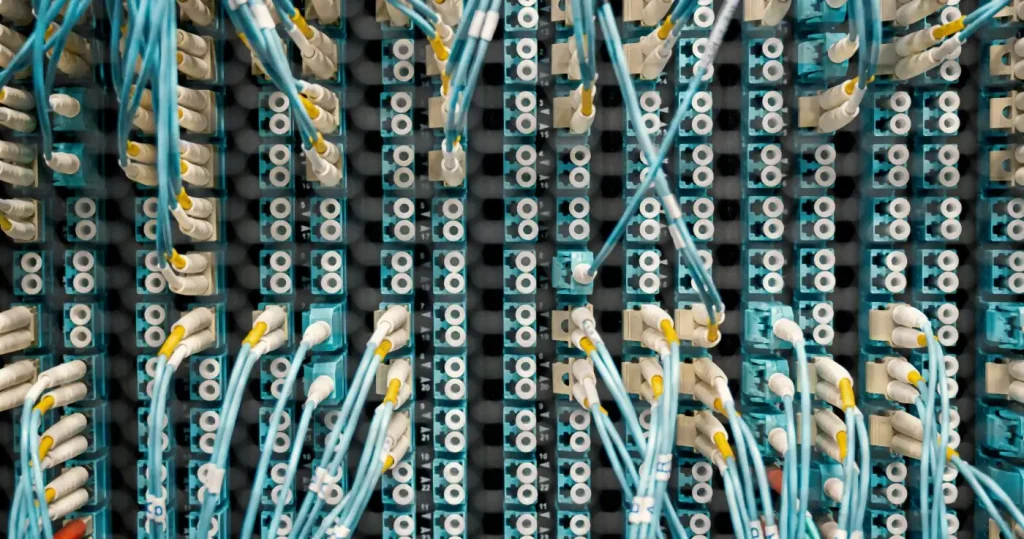
Short answer: Cat5e already carries gigabit and is probably what is in your walls right now, while Cat6 is the grade worth pulling for anything you install today. The two cables look almost identical, use the same RJ45 plug and fit the same wall socket – what changes is how much data they carry and how far. This guide settles Cat5 vs Cat6 on speed, distance, cost and what is actually worth putting through your walls in a Singapore home or office.
What structured cabling is
Structured cabling is the permanent network wiring built into your walls – the cables, wall points and patch panel that connect every room back to a central spot. Unlike WiFi, it never drops, never slows in a dead zone, and carries the fastest, most stable connection to your TVs, computers, cameras and WiFi access points. The single most important decision when installing it is the cable grade, and for homes and offices that comes down to Cat5e or Cat6.
Cat5 vs Cat6 at a glance
| Cat5e | Cat6 | |
|---|---|---|
| Max speed | 1G | 10G (short runs) |
| Gigabit distance | 100m | 100m |
| 10G distance | Not rated | Up to ~55m |
| Bandwidth | 100 MHz | 250 MHz |
| Conductor | Typically 24 AWG | Typically 23 AWG |
| Crosstalk control | Basic twisting | Tighter twists, usually a spline |
| Thickness | Slimmer, very easy to route | Slightly thicker, still easy |
| Connector | RJ45 – identical on both | |
| Cost | Lower | Slightly higher |
| Install it when | It is already there and working | You are pulling anything new |
Cat5 vs Cat5e: not the same thing
When people say “Cat5” today they almost always mean Cat5e. Original Cat5 belongs to the 100 Mbps era and has not been installed in years; Cat5e (“enhanced”) tightened the crosstalk specification and is rated for full gigabit over a 100-metre run. If you find genuine Cat5 in an older unit, replace it. It caps you at a tenth of what your broadband plan already delivers. If you find Cat5e, do not touch it yet: it does everything a gigabit home needs.
Cat5 vs Cat6: what you actually gain
This is the comparison that matters for most people, and since “Cat5” in a shop today means Cat5e, Cat5 vs Cat6 really means Cat5e vs Cat6. The honest answer is that the gain is headroom rather than everyday speed:
- Bandwidth: 250 MHz against 100 MHz – more signal room and better margin against interference.
- 10 gigabit: Cat6 reaches 10G up to roughly 55 metres. Cat5e is not rated for it at all.
- Build: Cat6 uses thicker conductors (typically 23 AWG versus 24 AWG) and usually a plastic spline down the middle that keeps the pairs apart and cuts crosstalk.
- Everyday difference on a gigabit plan: none you will notice. Both carry gigabit to 100 metres.
So why install Cat6? Because the cable is the one part you cannot swap later. The price difference is small next to the labour of pulling it, and Cat6 buys you a 10 gigabit path on short runs the day you have equipment that can use it.
What is already in your Singapore home?
Before you plan new cabling, read what is there. Every network cable has its grade printed along the jacket – pull a wall plate off, or look at the cable behind the TV, and you will see CAT5E or CAT6 in the printing. In practice:
- Flats wired in the last decade are usually Cat5e or Cat6, terminated at a small point near the DB box or in a store room.
- Older units may have only a telephone-grade run and nothing else. That is not usable as a network point.
- Existing Cat5e is worth keeping. It carries gigabit, which exceeds what any residential plan gives you today. Re-pull it only when you are opening the walls anyway.
The mistake worth avoiding is ripping out working Cat5e for a speed you have no equipment to use. The upgrade that actually pays off in a Singapore flat is usually more points in more rooms, not a higher grade on the one point you already have.
Which should you install at home?
For a typical flat or landed home, Cat6 structured cabling is the right default for new work. The runs are short, gigabit is more than any home plan needs today, and Cat6 still leaves 10G headroom over those short distances. It routes neatly through walls and trunking, and the material cost difference against Cat5e disappears once labour is counted.
Stay on existing Cat5e if it is already installed, properly terminated and reaching the rooms you need. Spend the budget on extra points – the TV wall, the study, each WiFi access point position, the camera locations – rather than on replacing cable that is already doing its job.
Which should you install in an office?
Offices should be on Cat6 for anything new. Desk counts grow, more devices run on PoE (access points, IP phones, cameras), and cable runs from a comms room are far longer than anything in a flat, all of which favour the extra bandwidth and tighter crosstalk control. Inherited Cat5e still works for gigabit desks, so a phased approach is reasonable: keep what is certified and working, run Cat6 for every new drop and every new area, and re-terminate anything that fails a test.
Do the plugs and sockets differ?
No. Cat5e and Cat6 both terminate in the same RJ45 connector, so devices, patch leads and wall sockets are interchangeable and nothing needs an adapter. What does differ is the termination hardware: Cat6 keystone jacks and patch panels are built to hold the tighter twist rates, and Cat6 cable terminated on Cat5e hardware performs like Cat5e. The rule is simple. Match the jacks, panels and patch leads to the cable grade, or you pay for a cable you cannot use. Mixing grades on a network is fine; each path just runs at the speed of its weakest component.
Why the cable grade matters more than you think
Cabling is the one part of your network you cannot easily upgrade later. It lives inside the walls. Switches, routers and WiFi units get swapped every few years, but re-cabling means opening finished walls, chasing trunking and repainting. That is why the grade you choose now sets your ceiling for years: install to the standard you might want in five to ten years, not just today’s. Doing it during renovation, while the walls are open, is a fraction of the cost of doing it afterwards.
Doing cabling right during renovation
A few practical rules keep a home or office network fast and tidy for years. Run cables to every room you might want a wired point – TV wall, study, each WiFi access point position, camera locations – even if you plan to start on WiFi. Terminate everything neatly at a central patch panel. Use quality cable and proper terminations, since a badly crimped Cat6 performs worse than a well-installed Cat5e. And plan the wired points alongside your WiFi so mesh nodes can run on wired backhaul. See how we plan home network and WiFi in Singapore for where the points should land.
Frequently asked questions
Which is better, Cat5 or Cat6?
Cat6 – it carries 10 gigabit over short runs and has 250 MHz of bandwidth against Cat5e’s 100 MHz. On a gigabit home plan you will not see a day-to-day difference, but Cat6 is the grade worth installing because the cable is the part you cannot upgrade later.
Should I run Cat5e or Cat6 in my house?
Cat6, if you are pulling new cable. The material cost gap is small next to the labour, and it gives you a 10G path on the short runs typical of a flat. Keep existing Cat5e that is already installed and working. It does full gigabit.
Can Cat5e run 1000 Mbps?
Yes. Cat5e is rated for gigabit (1000 Mbps) over the full 100-metre run. What it is not rated for is 10 gigabit, which is where Cat6 comes in.
Are Cat5 and Cat6 the same plug?
Yes – both use RJ45, so cables, sockets and devices are interchangeable. Just match your keystone jacks, patch panels and patch leads to the cable grade, because terminating Cat6 on Cat5e hardware drops that path back to Cat5e performance.
Is Cat6 worth it if my internet is only 1 Gbps?
For new cabling, yes – not for today’s speed but for the ten years the cable will sit in your wall. If the Cat5e is already installed and working, there is no reason to replace it just to match your plan.
Can I mix Cat5e and Cat6 on the same network?
Yes. Both use the same connectors and work with any device, and mixed installs are common – new Cat6 drops alongside inherited Cat5e runs. Each path simply runs at the speed of its weakest link.
How do I tell what cable I already have?
It is printed along the cable jacket. Look for CAT5E or CAT6 on the cable behind your TV or inside a wall plate. If the printing has worn off, an installer can test the run and tell you what it actually certifies to.
Is structured cabling worth it if I have WiFi?
Yes. Wired points never drop or slow in a dead zone, and they let your WiFi access points run on wired backhaul for full speed everywhere. The best home networks combine structured cabling with good WiFi, not one or the other.
Planning your home or office network?
Cat5e or Cat6, how many points and where they go all shape a network that lasts, and it is far cheaper to get right while the walls are open. At Roen we survey what is already in your walls, plan and install structured cabling in Singapore that suits your space today, and tie it neatly into your WiFi and devices.
Speed, bandwidth, distance and conductor figures follow the published category standards for Cat5e and Cat6; real-world performance varies with installation quality, termination hardware and equipment. Guidance here is general. Confirm requirements for your specific project.