
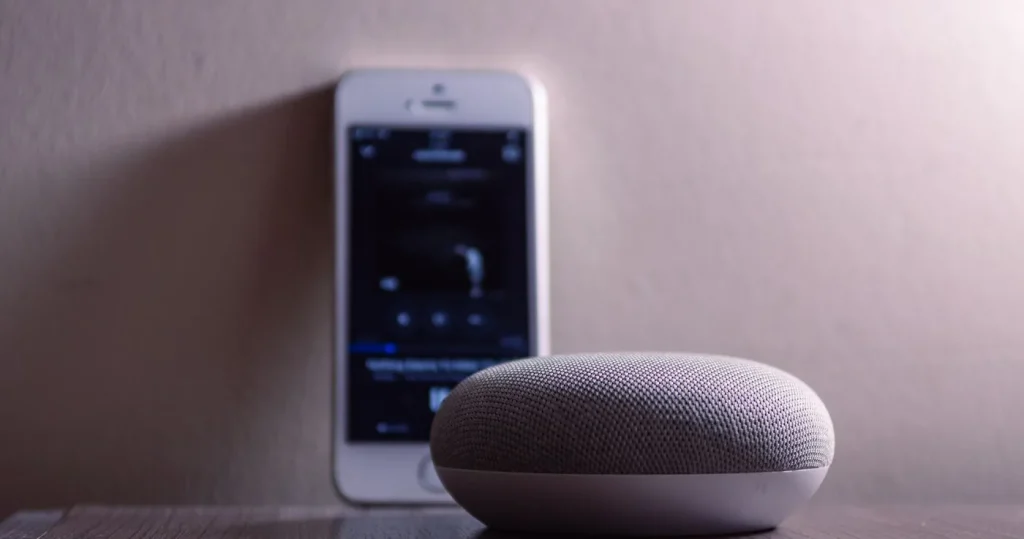
What is Matter smart home technology, in one line: Matter is the Connectivity Standards Alliance’s common language for smart home devices, so a plug, bulb, sensor or curtain motor from one brand can be set up and controlled from Apple Home, Google Home, SmartThings or Alexa without a brand app in between. It runs over the network you already have (Wi-Fi and Ethernet) and over Thread, a low-power radio mesh for battery devices, and a command travels from hub to device inside your flat rather than out to a cloud and back. To use it you need a Matter controller, the hub or speaker that runs the Home app, and for Thread devices a Thread border router, often built into the same box. Below: the three jobs, what an HDB flat’s concrete does to a Thread mesh, whether Matter replaces the Zigbee switches already on your wall, and the router setting that quietly breaks it.
What is Matter smart home? The standard in plain words
Matter is published by the Connectivity Standards Alliance (CSA), which also runs Zigbee. It is IP-based (“building upon Internet Protocol (IP)”, in the CSA’s words), runs on Wi-Fi and Thread, uses Bluetooth Low Energy for setup (commissioning), and launched in 2022. The practical change is how a command moves. Google’s help page puts it plainly: before Matter, a request to a light went to Google’s cloud, then to the bulb maker’s cloud, then back to your home; with Matter, “commands are sent directly over your home wireless network to the smart light”. Matter and a local hub are the same promise, which is why it belongs in a flat where the broadband drops or a brand server goes quiet; the longer argument is in local vs cloud smart home. Matter is not a radio (Wi-Fi and Thread are the radios), not a hub brand, and not a replacement for a Zigbee mesh that already works.
Matter controller, Thread border router and Matter bridge: three jobs, sometimes one box
The controller is the brain: it adds devices, holds the keys, runs the scenes and is what the Home app on your phone talks to. On a Roen install that controller is the smart home hub Singapore homes run everything from, whether a speaker, a dedicated hub or a local server. The Thread border router joins the Thread mesh to your IP network, “creating a wireless Thread network” in Google’s words. The bridge presents devices that are not Matter (Zigbee switches, Bluetooth sensors, a brand’s Wi-Fi bulbs) to the controller as if they were.
| Job | What it does | Where it usually lives | Do you need one? |
|---|---|---|---|
| Matter controller | Commissions devices, holds the credentials, runs scenes, answers the Home app | A smart speaker or display, a TV streamer, a dedicated hub, or a local server | Always, one per ecosystem |
| Thread border router | Joins the Thread mesh to your Wi-Fi or Ethernet network | Nest Hub (2nd gen), Nest Hub Max, Nest Wifi Pro, Google TV Streamer, Google Home Speaker (2026), HomePod mini; from Matter 1.4, certified routers | Only for Matter over Thread devices |
| Matter bridge | Shows Zigbee, Bluetooth or brand Wi-Fi devices to Matter controllers as Matter devices | A Zigbee hub with Matter bridge certification: Aqara hubs, Hue Bridge, SwitchBot Hub 2 | Only if devices you already own should appear in a Matter home |
One box can do all three: a Singapore retailer describes the Aqara Hub M100 as “a Matter Controller and Matter Bridge, a Thread Border Router, and an Aqara Zigbee bridge” in one USB stick.
Matter over Wi-Fi vs Matter over Thread: which radio your device uses
The logo beside the Matter mark on the box tells you the transport. Matter over Wi-Fi is for mains-powered things with bandwidth or a motor to drive: plugs, bulbs, curtain motors, appliances and, since Matter 1.5, cameras. Each is a client on your router, with the usual Singapore trap: most are 2.4 GHz only, and a mesh that merges both bands under one name can hide that band at pairing time. Matter over Thread is for small battery-powered things: door, window and motion sensors, buttons, some bulbs. Thread Group says it “uses IEEE 802.15.4 radio technology on the 2.4 GHz spectrum” and is an open IPv6-based protocol that forms a self-healing mesh. The part that matters for an HDB flat is in Thread Group’s FAQ: battery devices are “sleepy” end nodes that poll a parent for messages, and the parent, a powered device such as a plug or bulb, does the routing. On Singapore shelves an integrator’s list gives the shape of it: the Tapo P110M plug as Matter over Wi-Fi, Nanoleaf Essentials bulbs and Eve sensors as Matter over Thread, and Aqara, Hue and SwitchBot devices reaching Matter through their own hubs as bridges; check the brand’s page and the CSA’s certified-products database before buying.
Thread in an HDB flat: concrete walls, powered routers and a second border router
HDB’s renovation guidelines list “RC slab, beam, column, wall” as the parts of a flat you may not embed wiring in, and that is also what sits between a border router by the living room TV and a sensor in the far bedroom: reinforced concrete, usually two walls of it in a 4-room flat. A 2.4 GHz signal that clears one RC wall is marginal through two, and a bedroom full of battery sensors has nothing to route through, because sleepy end nodes do not relay. The fix is one of two things. Put a mains-powered Thread plug or bulb at each wall boundary, so there is a router within one wall of every sensor. Or put a second border router in the far room. Two border routers used to mean two separate Thread networks; Matter 1.4 (7 November 2024) addressed exactly this: certified routers and access points “feature a secure directory for storing and sharing Thread network credentials” so new border routers join “existing Thread networks, rather than creating new ones”, and Matter 1.4.2 (11 August 2025) requires such a border router to “support at least 150 devices”. Until the router in your DB cupboard is one of those, keep every border router in the same ecosystem. And never put the hub in the household shelter: reinforced walls and a steel door make it the worst room in the flat for any radio.
Do you need a Matter hub?
Yes, if you want Matter devices at all: the controller is the hub, and Google is explicit that a Matter-enabled hub must be on your network before you add a device. Google’s en-SG page lists its speakers, the Nest Hub (1st gen) and selected TVs as Wi-Fi-only hubs, and the devices in the table above as Wi-Fi and Thread hubs. Apple’s Singapore page says the HomePod mini “can also act as a home hub” for HomeKit and Matter accessories, and its specifications list Thread networking. A TV is a hub only while it has power, so a TV switched off at the wall each night is a hub that is off each night. What a Matter hub does not do is the part the box never says. It does not control an aircon or fan by infrared: the same Singapore retailer lists the Aqara Hub M100 with “No IR transmitter, so it cannot control air-conditioners, TVs or fans”. It is not a Zigbee bridge unless the product page says so. Which hub suits an HDB flat, a condo or a landed home is on our page on choosing and setting up a hub for HDB, condo and landed homes; the ecosystem comparison is in best smart home hubs compared.
Matter vs Zigbee: does Matter replace the switches you already have?
No, and in a Singapore flat it mostly cannot yet. The no-neutral wall switches, motion sensors and door sensors in most HDB and condo installs are Zigbee. Matter 1.4 added device types for “fixed in-wall smart home devices”, so native Matter wall switches are coming, but a switch already in the wall and working has no reason to come out. The route that works today is the bridge: a Zigbee hub with Matter bridge certification exposes the switches to Apple Home or Google Home as Matter devices, the switch stays Zigbee and the mesh keeps running; Aqara’s H1 and D1 switches reach Matter through the Aqara Hub M3 in just that way. Our rule: keep the Zigbee devices on their hub, bridge the hub into Matter, and replace a Zigbee device when it dies, not because the standard changed. The three protocols side by side are in Zigbee vs WiFi vs Matter.
IPv6 on your home router: the setting that quietly breaks Matter
Google’s help page: “Without IPv6 enabled on your home wireless network, the setup process may initially appear to succeed at times. However, control and other functionalities eventually fail due to the lack of IPv6 support that’s required for the Matter technology to work properly.” Thread is an IPv6 protocol by design, and IPv6 on the Wi-Fi side is what lets Thread and Wi-Fi devices talk through the border router. This is about IPv6 being switched on inside your home network, not your fibre line having a public IPv6 address. In a typical Singapore home the fibre ends at an ONT with the ISP router behind it; add a mesh behind that and there are two places IPv6 can be off, and a mesh left in router mode (double NAT) is a third layer for traffic to get lost in. Check the router’s admin page or ask the ISP; our survey does. One related trap from our own setups: commissioning starts over Bluetooth LE from your phone and the device then joins the Wi-Fi the phone is on, so phone, hub and device must share one network, not a guest SSID with client isolation.
Matter 1.4, 1.4.2 and 1.5: what each version added
The version on the spec sheet says what a device cannot do yet.
| Version | Released | What it added (CSA) | What it means at home |
|---|---|---|---|
| Matter 1.4 | 7 November 2024 | Certifiable routers combining “a Wi-Fi access point and a Thread Border Router” with shared Thread credentials; Enhanced Multi-Admin; energy and in-wall switch device types | One Thread mesh across brands; your next router may be the border router |
| Matter 1.4.2 | 11 August 2025 | Wi-Fi-only commissioning without Bluetooth LE; certifiable scenes; Vendor ID verification; 150-device floor for border routers in certified routers | Cheaper Wi-Fi devices over time; faster room scenes |
| Matter 1.5 | 20 November 2025 | Cameras with WebRTC live video, “both local and remote access”; “a revamped and unified approach to closures” (window shades, drapes, awnings) with “precise position reporting”; soil sensors; energy tariffs | One position model for curtains and blinds; cameras can join a Matter home |
A specification release is not a product on a Singapore shelf: the CSA says many 1.4.2 enhancements “require coordinated support between device manufacturers and ecosystem platforms”, and Google adds device types “at different times”. So a 1.5 camera needs a 1.5-capable controller, and a curtain motor sold today most likely reaches Matter through a bridge. For motorised curtain tracks that is no loss, because the hub drives the track either way; for home CCTV recording stays on the camera maker’s NVR or app for now. That is also the honest answer to what is Matter smart home technology ready for in Singapore today: plugs, bulbs, sensors and hubs now, cameras and curtain motors as the controllers catch up.
Frequently asked questions
Is Matter a replacement for Zigbee? Should I replace my devices?
No. Matter is the application language and Zigbee is a radio mesh. Keep working Zigbee devices on their hub, bridge the hub into Matter, and replace a device only when it fails.
What is a Thread border router and do I need one?
It is the radio that connects a Thread mesh to your Wi-Fi or Ethernet network, needed only for Matter over Thread devices such as battery sensors. Nest Hub (2nd gen), Nest Hub Max, Nest Wifi Pro, Google TV Streamer, the 2026 Google Home Speaker and HomePod mini have one built in.
Does concrete kill Thread in an HDB flat?
It weakens it badly across two RC walls, and battery sensors cannot relay for each other. Fix it with a mains-powered Thread plug or bulb within one wall of every sensor, or a second border router in the far bedroom.
What does a Matter hub not do?
It does not send infrared, so it cannot control a non-smart aircon or fan on its own; it is not a Zigbee bridge unless the product says so; and it does not extend Wi-Fi range. Aircon control still needs an IR or Wi-Fi controller.
Why does Matter need IPv6, and what if my router has it off?
Thread is an IPv6 protocol and Matter addresses devices over IPv6 locally, so with it off Google warns that setup may seem to succeed and then “control and other functionalities eventually fail”. Turn IPv6 on in the ISP router and any mesh behind it, and run the mesh in bridge mode.
A Matter home that still works when the internet does not
Roen picks the controller, places the border routers where the concrete says, bridges the Zigbee switches you already have, checks IPv6 and the mesh mode on the router, and hands over one app with every device in it, working locally.