
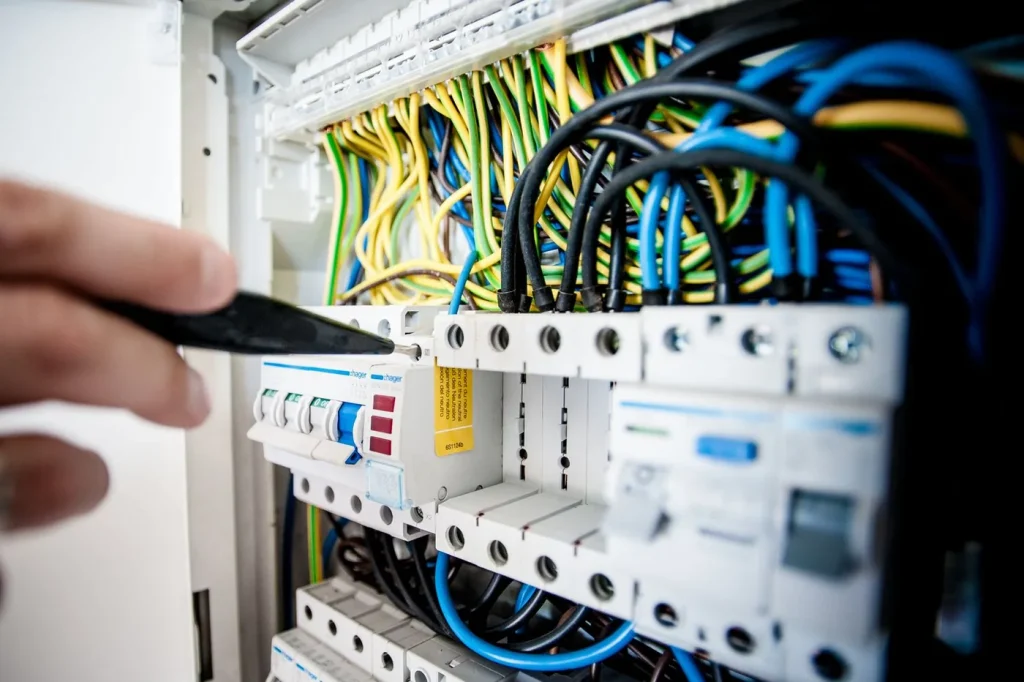
Yes, smart switches can work with HDB wiring, but many HDB flats have no neutral wire at the switch box, and that one detail decides which smart light switch you can buy. A standard wall switch only needs a live and a load wire; most WiFi smart switches want a third neutral wire to keep their radio powered when the light is off. If your flat has no neutral, you either choose a no-neutral smart switch or have a licensed electrician run a neutral to the switch box. This guide explains how to tell which you have, the options for each, and how to get a WiFi smart switch working in a Singapore flat without flicker or guesswork.
Why the neutral wire matters
A traditional switch simply breaks the circuit – live in, load out to the light, done. A smart switch is different: it contains a small WiFi or Zigbee radio that has to stay powered even when the light is off, so it can still hear “turn on” from your app or voice. To stay powered, it needs a constant supply, and that is what the neutral wire provides. Without a neutral, the switch has to draw a trickle of power through the bulb itself, which is where the trouble starts.
Does your HDB flat have a neutral wire?
Singapore runs on a 230V system, but by convention our switch boxes are usually wired without a neutral at the switch. Most older HDB flats, and even many newer BTOs, only have live and load wires at the wall switch – the neutral runs straight to the light fitting instead. So the safe assumption for an HDB flat is: no neutral at the switch box, unless it was specifically wired otherwise during a renovation.
You cannot tell just by looking at the faceplate. The only reliable way to confirm is to have a licensed electrician open the switch box and check, which is a good idea anyway, since any switch replacement in Singapore is electrical work best left to a professional.
Option 1: A no-neutral WiFi smart switch
The easiest fix for a no-neutral flat is a smart switch designed to work without one. These draw their trickle of power through the light circuit instead of a neutral wire, so they retrofit straight into existing HDB boxes. It is the go-to choice when you are not renovating and just want to make a few switches smart.
The one thing to watch is minimum load. Because a no-neutral switch borrows power through the bulb, the bulb has to draw enough current, typically a 7–10W minimum. Pair one with a very low-wattage LED and you can get faint flicker or a dim night-time glow. The fixes are simple: use bulbs above the minimum, or add a small load-correction capacitor (many switches include one). For most ceiling lights this is a non-issue; it only bites with tiny single-LED fittings.
Option 2: Run a neutral wire (best at renovation)
If you are already renovating, the cleanest long-term answer is to have your electrician run neutral wires to every switch point. It typically costs a few hundred to around a thousand dollars for a whole flat, and it removes every restriction: you can then use any WiFi smart switch, from any brand, with no minimum-load worries. If smart lighting is part of your reno plan, this is one of the highest-value things to specify while the walls are open.
Running a neutral is not a DIY job. It involves the flat’s wiring and, in Singapore, should be carried out by a licensed electrician who can do it safely and to code.
No-neutral vs neutral at a glance
| No-neutral smart switch | Run a neutral wire | |
|---|---|---|
| Best for | Retrofit, no renovation | Renovation, whole-flat plan |
| Wiring work | Swap the switch only | New neutral to each box |
| Brand choice | No-neutral models only | Any smart switch |
| Flicker risk | Possible with low-watt LEDs | None |
| Cost | Just the switch | Higher upfront, future-proof |
WiFi or Zigbee smart switch for an HDB flat?
Both come in no-neutral versions, so wiring is not the deciding factor. A WiFi smart switch is the simplest to start with. It joins your router directly and needs no hub, which suits a handful of switches in a compact flat. Zigbee switches are worth it once you scale up, because they form a low-power mesh and lean on a smart home hub for reliability. For most HDB homes beginning with two or three smart switches, a WiFi smart switch is the easy, hub-free choice.
Whichever you pick, a good smart switch still works as a normal wall switch, so the household can flick it by hand and it never depends on the app. That reliability is exactly why a switch beats smart bulbs for main lighting in a flat.
Installing a smart switch in an HDB flat: what to expect
The process is straightforward when planned: confirm whether the box has a neutral, choose a no-neutral switch or run a neutral accordingly, check bulb wattage against the switch’s minimum, and have a licensed electrician fit it. Turn the power off at the DB, and never work on a live circuit yourself. Done properly, a WiFi smart switch drops into an HDB flat cleanly, keeps the familiar wall control, and adds app, voice and scheduling on top.
Frequently asked questions
Do HDB flats have a neutral wire at the switch?
Usually not. Most HDB flats – older units and many new BTOs – are wired with only live and load at the switch box, with the neutral running to the light fitting. Assume no neutral unless a renovation added one, and have an electrician confirm.
Can a WiFi smart switch work without a neutral wire?
Yes. No-neutral WiFi smart switches draw power through the light circuit instead of a neutral, so they retrofit into existing HDB boxes. Just check the bulb meets the switch’s minimum load (usually 7–10W) to avoid flicker.
Why does my smart switch make the light flicker?
A no-neutral switch borrows a trickle of power through the bulb. If the bulb’s wattage is too low, that trickle can make it flicker or glow faintly. Use a higher-wattage LED or add the load-correction capacitor many switches include.
Should I run a neutral wire during renovation?
If you are renovating, yes – running neutrals to every switch (a few hundred to around a thousand dollars for a flat) lets you use any smart switch with no minimum-load limits. It is one of the best-value smart-home moves while the walls are open.
Can I install a smart switch myself in HDB?
It is best not to. Replacing a wall switch is live electrical work, and in Singapore it should be done by a licensed electrician who can wire it safely and to code, especially if a neutral needs running.
Are WiFi or Zigbee smart switches better for HDB?
Both work with HDB wiring. A WiFi smart switch is simplest for a few switches with no hub. Zigbee is better once you scale to many devices and want a reliable local mesh through a hub.
Want smart switches fitted right the first time?
No-neutral or neutral, WiFi or Zigbee – the right choice depends on your flat’s wiring, and getting it wrong means flicker or a re-do. At Roen we check your switch boxes, pick switches that suit your setup, and have them installed cleanly with the wall control kept intact. See what a smart switch Singapore installation by Roen includes, or talk to us for a quick look at your flat.
Wiring conventions and minimum-load figures are general guidance and vary by flat, switch model and bulb. Always confirm with a licensed electrician before installation. Costs are indicative Singapore ranges as of July 2026.