
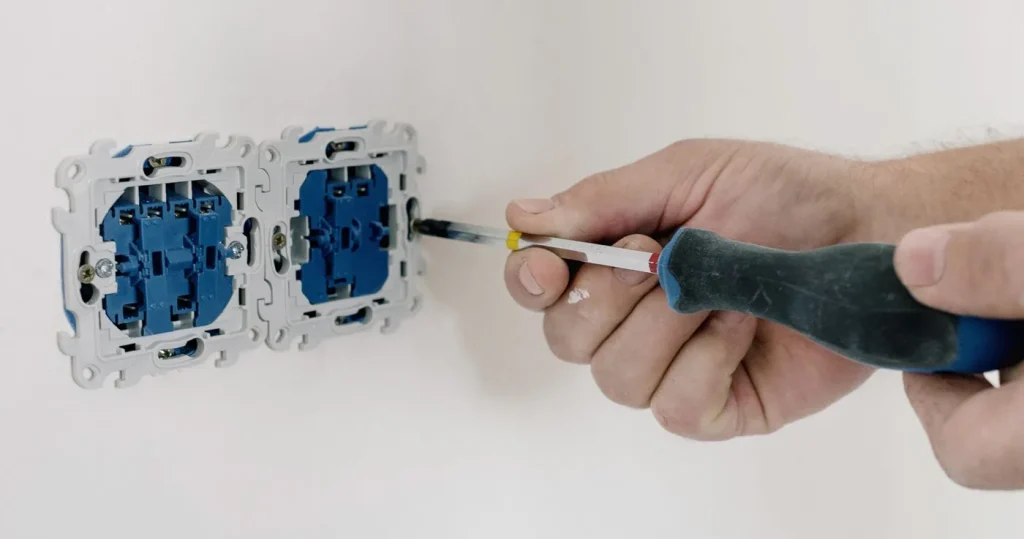
To add power point in HDB you need no HDB permit for a standard 13 A socket, but three conditions apply: the wiring cannot be embedded in the concrete, a licensed electrical worker (LEW) must do the work and file SP Services Form CS/5H for testing, and the load stays within the main switch rating. A 15 A point for an aircon or water heater is different: in a block still on a 30 A main switch it needs an HDB permit first. What the job costs is set by the wiring route (distance from a suitable circuit or the DB, surface trunking or concealed), not by the faceplate. Below: HDB’s table in plain words, EMA’s rule on who may do the work, the four wiring routes, and the sockets a smart home needs that nobody plans for.
Do you need an HDB permit to add a power point?
For a 13 A socket, no. HDB’s Renovation Guidelines for Electrical Works lists “Additional lighting points/ fan points/ 13amps power points or extension of wiring/ rewiring” under works that do not require a permit, with three conditions: “No embedding of wiring (housed in metal/ high impact PVC conduit) in RC slab, beam, column, wall, in wall plaster or other finishes”; “Submit the SPSL Form CS/5H endorsed by HDB to SPSL for testing of the new wiring”; and “No restriction on the number of auxiliary items installed, but subject to the limitation of the existing main switch rating”. The same permit-free list covers PVC trunking and alteration or addition of a socket outlet, RCCB, MCB or main switch.
| What you want to add | HDB permit? | What HDB’s conditions mean in practice |
|---|---|---|
| New 13 A power point, or extending existing wiring | No | Cable in surface trunking or inside a partition or false ceiling, never in the concrete; the LEW files the CS/5H; the DB must have room for the load |
| New 15 A point or 20 A isolator, flat on a 40 A main switch (block completed on or after 1 Jan 1994, or upgraded under MUP/HIP) | No | Same conditions; appliances rated above 15 A are not allowed, and a “20amps isolator is only allowed for air-conditioner installation” |
| New 15 A point or 20 A isolator, flat on a 30 A main switch | Yes | “Flats without higher electrical loading will require an HDB permit to install new 15amps power points”; check the block’s loading first (postal code lookup below) |
| Power point inside a bathroom or toilet | Not allowed | “Power points should not be installed within bathrooms/ toilets”, a wet area under SS 638 |
Who is allowed to add a power point in HDB: the LEW rule
Only a licensed electrical worker. EMA lists “Addition, extension or replacement of electrical power points, such as socket-outlets, switches or lighting points” as work to be carried out or supervised by a Licensed Electrical Worker, and HDB’s technical conditions say “All wiring installation work must be carried out by an EMA licensed electrical worker”. HDB’s home care guide adds that “Only a licensed electrician can replace socket outlets”, so the answer to “can I add a power point myself” is no, not even a single-to-double swap. Check the name on EMA’s ELISE register and ask to see the licence card. An HDB electrician homeowners can trust gives you the LEW’s name before quoting, not after. For what a LEW may sign off that a handyman may not, see whether you need a licensed electrician (LEW).
The paperwork is the part homeowners never see: SP Group’s Form CS/5, Application for Inspection of Electrical Installation, has a Part II completed by the LEW, and HDB says “You must apply to SPSL for inspection of the completed work through your licensed electrical worker”. A quote silent on testing is incomplete.
Surface trunking or concealed wiring: what HDB actually allows
This choice moves the price most. “Concealed” in a brochure means chased into the wall; in an HDB flat that is what the guideline forbids: “Embedding or wiring housed in metal/ high impact PVC conduit in reinforced concrete (RC) slabs, beam, column, wall and in wall plaster or other finishes is not allowed”. So a concealed run here means the cable hides inside something built on top of the structure: a false ceiling, a plasterboard partition or carpentry, which is why it is practical only while a renovation is open and has to go in before the boards close. Surface means PVC trunking clipped to the wall or skirting, which HDB permits outright, suits an occupied flat, and scales in price with trunking length and corners. A contractor offering to chase into the concrete is offering a breach of the guideline.
Extend an existing circuit or run a new circuit from the DB?
Every new socket is fed one of two ways: a spur off a suitable existing 13 A circuit, usually from the nearest socket, or a new final circuit from a spare way in the DB with its own MCB. The LEW decides on what the circuit already feeds, how far the DB is, and what you will plug in. A phone charger by the bed is a spur. An induction hob, a storage water heater (HDB caps those at 1.5 kW in a 30 A flat), an oven or an aircon unit is a new circuit and a dedicated point. HDB’s home care guide sets the ceiling: “The maximum current that can be drawn through a CU is limited by the rating shown on the double pole MCB (main switch of the consumer unit)”. No number of sockets gets past that; a loading upgrade does. A new circuit also takes the DB cover off, the moment to check for an RCCB: EMA requires one rated 30 mA or lower in every home, and from 1 July 2025 a home without one risks a fine of up to S$5,000.
What it costs to add power point in HDB: four wiring routes
The figures below are market ranges published by two other Singapore providers, FixMove and HomeGenie, both read on 1 October 2026; they are not Roen’s prices, and Roen quotes after a site check. FixMove’s starting figure applies “only when a suitable existing circuit and short surface route are confirmed”, plus a S$10 fuel surcharge per visit; everything longer, concealed or on a new circuit is “quoted after site review”. That is where quotes to add power point in HDB actually diverge, so read a quote by route.
| Wiring route | Typical job | What sets the labour | Published market range (not Roen’s price) |
|---|---|---|---|
| 1. Short spur off a suitable existing circuit, surface trunking | Extra socket a metre or two from an existing point | One trunking run, one back box, a test | FixMove from S$80 single 13 A, from S$100 double or USB; HomeGenie S$80 to S$120 per 13 A outlet (read 1 Oct 2026) |
| 2. Long run in surface trunking | Socket on the far wall, trunking round corners and a door frame | Metres of trunking, corners, time | Not priced separately by either; quoted after site review |
| 3. Concealed run at renovation time | Sockets inside new carpentry, a false-ceiling drop for a motorised curtain track | Coordination with the ID, conduit before the boards close; never in the RC | HomeGenie S$80 to S$120, stated as surface or concealed, for a BTO in renovation; FixMove quotes after site review |
| 4. New circuit from the DB, or a 15 A/20 A point | Aircon, water heater, oven, induction hob | New MCB, cable from the DB, possibly a loading check or HDB permit | FixMove: quoted “only after appliance, circuit and DB review” |
Trunking that serves one point often serves the next, so per-socket pricing understates a single point and overstates six. For call-out and rewiring ranges, read how much an electrician costs in Singapore.
30 A or 40 A: check your block before you add a 15 A point
HDB states that “HDB blocks completed on/ after 1 January 1994 or have undergone the Main Upgrading Programme (MUP)/ Home Improvement Programme (HIP) are provided with higher electrical loading of 40amps main switch”. HDB’s e-service, Check Electrical Load of HDB Block, takes the block’s postal code and tells you which side of the line you are on. On 30 A and want a new aircon point? Loading upgrade (or HDB permit) first, socket second; our guide to upgrading HDB electrical loading covers the steps, and the HDB electrical loading calculator on our electrical page, indicative only, shows whether the hob, heater and aircon units you are planning fit the board you have.
How many power points, and where: planning for a smart home
Retail guides count sockets by the wall. Smart kit changes the list, because nearly every device needs a permanent socket. These are why homeowners call us to add power point in HDB after the renovation, when it costs route 2 money instead of route 1 or 3:
- The hub and router shelf. The fibre termination point is usually by the front door; the ONT, router, hub and a small switch all want power there: two doubles.
- The CCTV or network cupboard. A PoE switch and an NVR run 24 hours and belong on their own socket, not a multi-plug behind the TV.
- The window head. A motorised curtain track or blind needs power at the top of the window: a concealed drop in the pelmet box at renovation, visible trunking up the wall later.
- Bedside and desk. One double with USB per bedside and desk ends the extension lead on the floor, which HDB’s tip “Avoid overloading socket outlets” is really about.
The principle is open the wall once: list every device the home will run in five years, map a socket to each, and get the trunking or conduit in on one visit, with network cable in the same run where it helps.
What to photograph before the electrician visits
A LEW can quote a route 1 or 2 socket from photographs if you send five:
- The DB, cover closed and then open, so the main switch rating and spare ways are readable.
- The wall for the new point, showing floor, ceiling and the nearest door frame.
- The nearest existing socket and what is plugged into it.
- The rating label of the appliance the point is for.
- Under renovation, the ID’s carpentry drawing, so the LEW can see which runs can be concealed.
Add one line per point saying what plugs in. That is enough for a written quote stating route, materials, testing and exclusions.
Frequently asked questions
Can I add a power point in my HDB flat myself?
No. EMA lists the addition, extension or replacement of socket outlets as work for a Licensed Electrical Worker, and HDB says all wiring installation work must be done by an EMA licensed electrical worker. Check the LEW on ELISE.
Do I need an HDB permit to add a 13 A power point?
No. HDB lists additional 13 A power points and extension of wiring under works that do not require a permit, provided the wiring is not embedded in the RC structure or plaster, your LEW submits Form CS/5H to SP Services for testing, and the load stays within the main switch rating.
What about a 15 A point for an aircon or water heater?
It depends on the block. Flats on a 40 A main switch (completed on or after 1 January 1994, or upgraded under MUP or HIP) need no HDB permit. Flats still on 30 A need an HDB permit for a new 15 A point or 20 A isolator. HDB’s Check Electrical Load of HDB Block e-service tells you which you have from the postal code.
Surface trunking or concealed cabling: which is better in an HDB flat?
Surface trunking is cheaper, reversible and always permitted. Concealed is tidier but in an HDB flat it can only run inside a false ceiling, partition or carpentry, never chased into the concrete, so it is practical only during a renovation.
How much does it cost to add one power point in Singapore?
Published market ranges, read 1 October 2026: FixMove says a simple single 13 A point on a suitable existing circuit with a short surface route may start from S$80, a double or USB point from S$100; HomeGenie lists S$80 to S$120 per additional 13 A point and S$90 to S$150 for a USB socket. Long runs, concealed routes and new circuits are quoted after inspection. These are not Roen’s prices.
How many power points should I add to a resale flat?
Map the devices, not the walls: a double with USB per bedside and desk, two doubles at the router and hub shelf, a dedicated socket for a PoE switch or NVR, and power at the head of any window getting a motorised track.
Add the sockets your smart home will need, once
Roen plans the power points around the devices the home will actually run, routes the trunking or conduit within HDB’s rules, and has the work done and tested through licensed LEW partners, with the hub, network and curtain wiring on the same visit.